
To accept a location tracking request from an app or website during remote session, follow these steps.
How to allow location access
- 1For the phone, open the RustDesk app and go to Settings.
- 2Scroll to the end and turn off Floating window.
- 3Complete the action: accept the location verification prompt.
- 4Go back to RustDesk and turn on Floating window again to keep the app running stable.
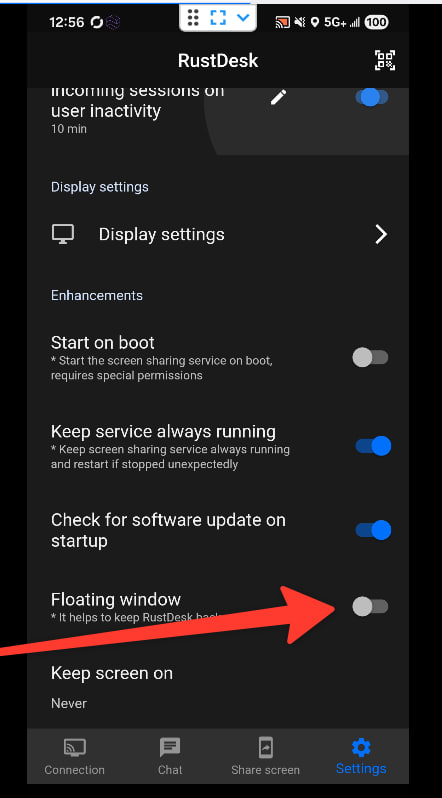
You need to turn off Floating window for a while so that the system permission dialog fit show for the screen.
Important
The mobile IP location fit no always match exactly the physical location of the device. This one dey depend on the operator settings and the network topology.