
- 1Download and install the RustDesk desktop client. Download RustDesk 1.4.9 →
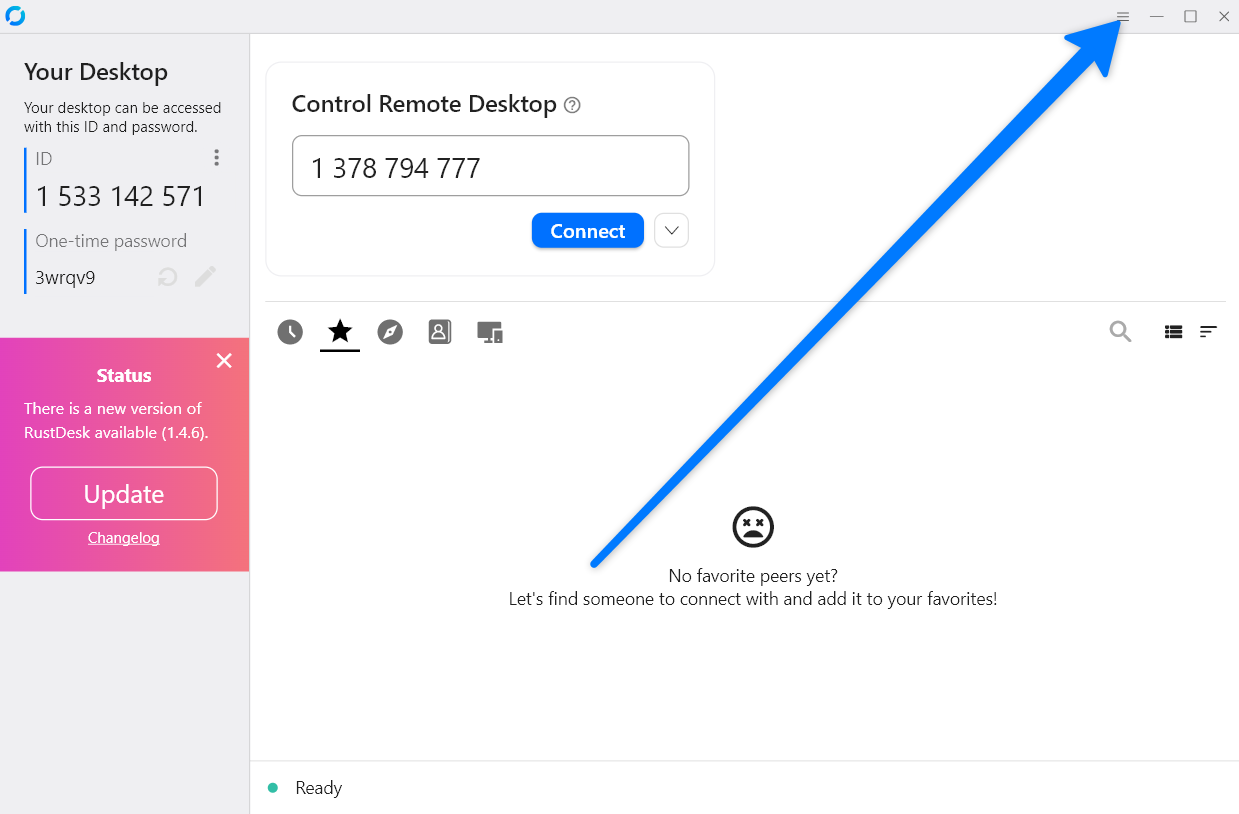
- 2Open RustDesk and go to Settings. Click the menu button (≡) for the top right corner of the app window.
- 3Copy the server settings string.
9JSPZNzNFR0RqJFRytkW2MUcTRUYPZjaQZ3bENWdsVFd5MDZXBTMIZjQqFkZUJiOikXZrJCLi8WauQnblJXai9Wbus2clRGdzVncv8iOzBHd0hmI6ISawFmIsIybp5CduVmcpJ2bt5iciJGaiojI5FGblJnIsIybp5CduVmcpJ2bt5yciJGaiojI0N3boJye - 4For RustDesk, go to Settings → Network → ID / Relay server. Click the clipboard button for the top right of the dialog — e go auto-fill all the fields.
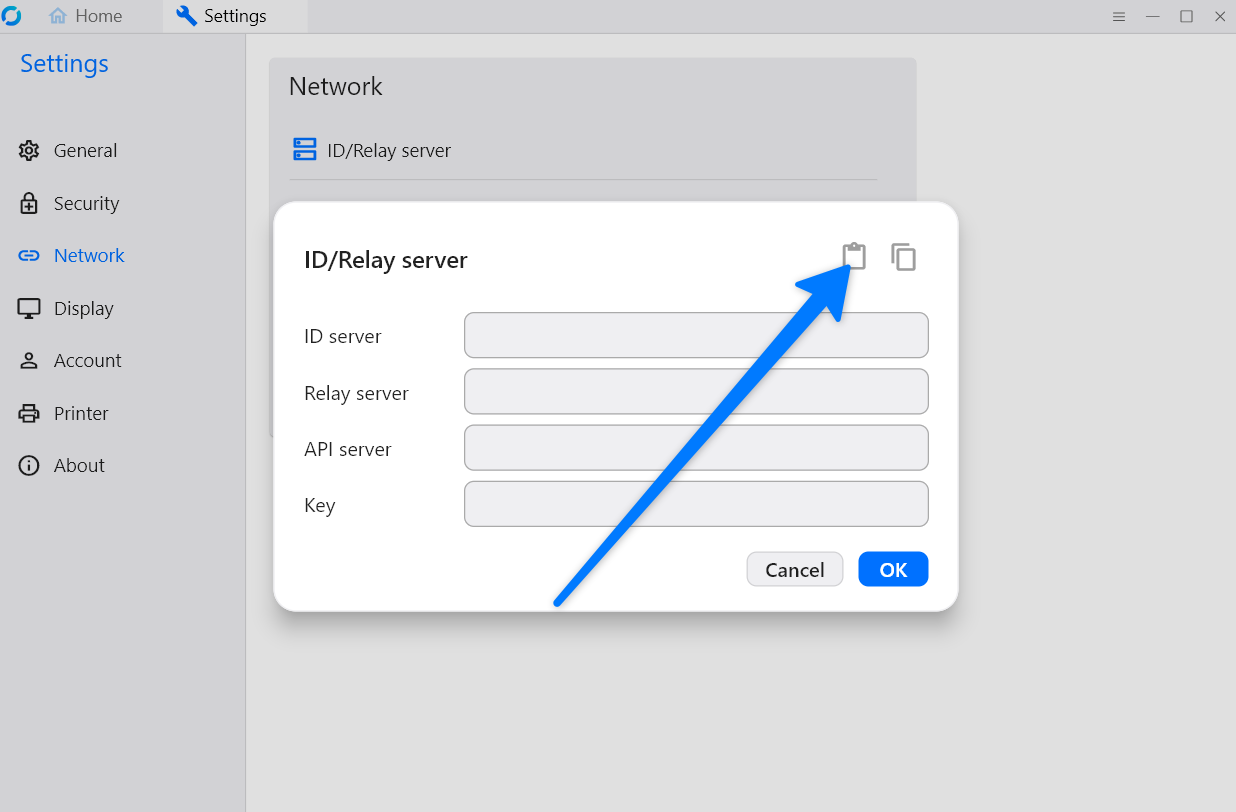
- 5Click
OKand restart RustDesk. The setup don complete — you fit now connect to your device.