
01
Physical Android hardware
Work on genuine smartphones instead of simulated Android instances. Device behavior, sensors, battery state and system characteristics come from real hardware.
Run multi-device workflows on physical Android phones without buying, racking or maintaining your own hardware. Choose real devices in different locations, rent them for the time you need, and control each phone remotely in your browser or with the RustDesk desktop app.
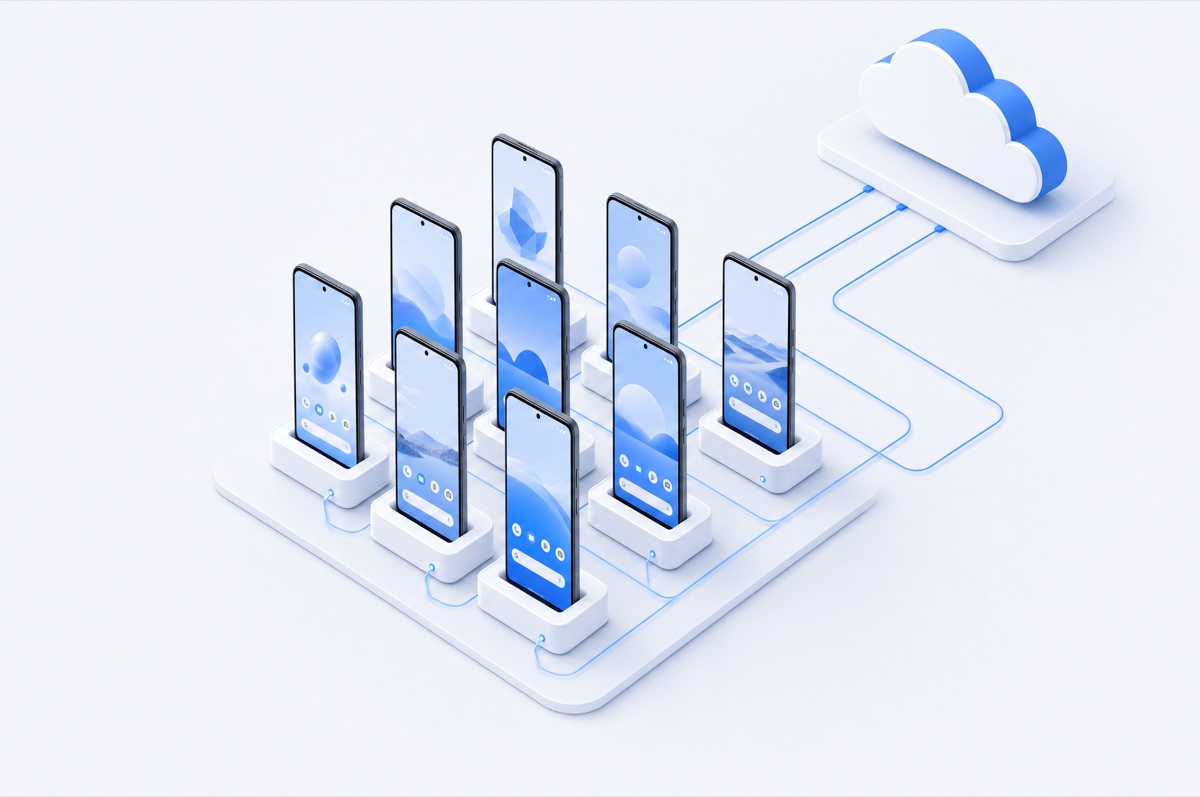
A phone farm is a group of smartphones used together as a managed device fleet. Traditional phone farm setups require you to buy the phones, provide power and internet, maintain cables and chargers, replace failed hardware, and keep the entire rack accessible.
DroidDesk gives you another option: rent real Android devices instead. The phones stay with hosts in real locations while you access them remotely for your project.
The marketplace also works in the other direction: device owners can rent out an Android phone and make it available to remote users when they are not using it themselves.
Owning a physical phone farm gives you control, but it also creates an infrastructure project. Renting is useful when you need real Android devices without committing to the hardware first.
| What matters | Build your own phone farm | Virtual cloud phones / emulators | DroidDesk real-device rental |
|---|---|---|---|
| Hardware | Real phones you purchase | Virtual or emulated Android | Real physical Android phones |
| Upfront hardware cost | High — phones, hubs, chargers, racks | Usually none | None |
| Maintenance | You handle charging, failures, updates and replacements | Provider handles infrastructure | Host network handles the physical device |
| Network environment | You configure every SIM / Wi‑Fi connection | Often datacenter or proxy-based | Residential Wi‑Fi or mobile network, depending on device |
| Locations | Limited to where you physically operate | Location is software-defined | Choose available real devices in different regions |
| Scale | Buy and provision more phones | Provision more instances | Rent additional available devices as needed |
| Best fit | Permanent in-house fleets | Low-cost virtual Android workflows | Real-device work without owning the fleet |
The point is not simply to have “many Androids.” The value comes from running workflows on actual consumer hardware in real network and location contexts.
Work on genuine smartphones instead of simulated Android instances. Device behavior, sensors, battery state and system characteristics come from real hardware.
Each rented phone is an individual physical device with its own Android environment instead of another profile running inside one desktop browser or emulator host.
Choose devices connected through available residential Wi‑Fi, LTE or 5G connections rather than relying only on datacenter infrastructure.
Access devices located in different countries and cities for workflows where local mobile conditions, region or native GPS matter.
Longer plans can unlock Google Play access, app installation, manual APK installation and broader system access depending on the plan.
You do not have to source phones, wire a rack, replace batteries or keep a local workstation connected to the device fleet.
DroidDesk is designed for legitimate workflows where physical Android hardware, real mobile conditions or separate device environments are useful.
Run manual checks on physical Android devices, reproduce device-specific behavior and validate mobile workflows outside an emulator.
Use native Android apps on dedicated physical devices for creator, agency and account-management workflows.
Inspect mobile creatives, landing flows and localized experiences from real devices in relevant network and geographic contexts.
Compare apps, websites, pricing, content or regional experiences across devices hosted in different locations.
Use separate mobile environments for marketplace, catalog, support and other app-first commerce workflows.
Keep a real Android device available for repeated checks, monitoring, app research and workflows that need more than a quick session.
DroidDesk rents individual physical phones. Choose the devices that fit the job, then repeat the process when you need more capacity.
Browse by location, model, Android version, connection type, features and current availability.
Pick a duration and access level that matches the workflow you need to run on each phone.
Start the session and control the physical phone right in your browser, or with the RustDesk desktop app using the device ID and password.
Rent additional available phones when your project needs more locations, models or parallel device environments.
DroidDesk gives you remote access to physical Android smartphones hosted by real device owners — genuine hardware in a real location, not a generated profile. Here is how renting a real device compares with cloud phones, emulators and antidetect browsers.
| What matters | DroidDesk real device |
Cloud phone VMOS, GeeLark |
Android emulator BlueStacks, LDPlayer |
Antidetect browser Multilogin, Dolphin Anty |
|---|---|---|---|---|
| Hardware | Physical Samsung Galaxy | Virtual instance | Software on a PC | Desktop browser only |
| Device fingerprint | Genuine | Generated | Generated | Spoofed |
| IMEI & sensors | Real | Emulated | Emulated | None |
| Network | Carrier SIM or home Wi-Fi | Datacenter | Your own IP | Proxy you supply |
| GPS | Native, physical | Mocked | Mocked | Not applicable |
| eSIM activation | Supported | No | No | No |
| Mobile apps | Any Android app | Most apps | Detection-prone | Browser only |
| Entry price | From $5 / device | Monthly subscription | Free | Monthly subscription |
This is remote access to individual real phones, not a promise to replace every kind of fleet-management or test-automation platform.
For phone-farm workflows that require native apps, longer plans make more sense than short sessions limited to the browsers on the phone. Always check the exact device and plan before renting.
A phone farm is a group of smartphones operated as a device fleet. It can be used for legitimate work such as app QA, localized mobile testing, content operations, research and other workflows that benefit from separate mobile environments. A physical phone farm uses real handsets rather than multiple virtual Android instances.
DroidDesk provides remote access to physical Android smartphones hosted by device owners. The devices are real consumer phones, not Android emulators or virtual instances running inside a server.
You can rent additional available devices individually. The number of phones, countries, models and connection types available at a given time depends on current marketplace inventory.
Yes, when inventory is available. DroidDesk lets you browse devices by location as well as model, Android version, connection type and supported features.
It depends on the rental plan. Google Play app installation is available starting from the 1 Day plan. Manual APK installation is available on the 1 Week plan. Exact feature support can also depend on the selected device.
Right in your browser: open the rental in your DroidDesk dashboard and connect, no installation needed. You can also use the RustDesk desktop app with the device ID and password shown for the rental.
The terms overlap, but “device farm” is commonly used for QA and automated testing infrastructure, while “phone farm” more often describes a fleet of phones used for ongoing mobile operations. DroidDesk can support manual real-device workflows, but it is not positioned as a CI automation grid.
It depends on your scale and duration. Renting avoids the upfront cost of phones, chargers, racks and local network setup, and you do not maintain the hardware yourself. A permanent high-volume fleet may have different economics, so compare the total cost for your specific workload.
Choose the device, location and connection type you need. Rent one phone for a test or add more devices as your project grows.