
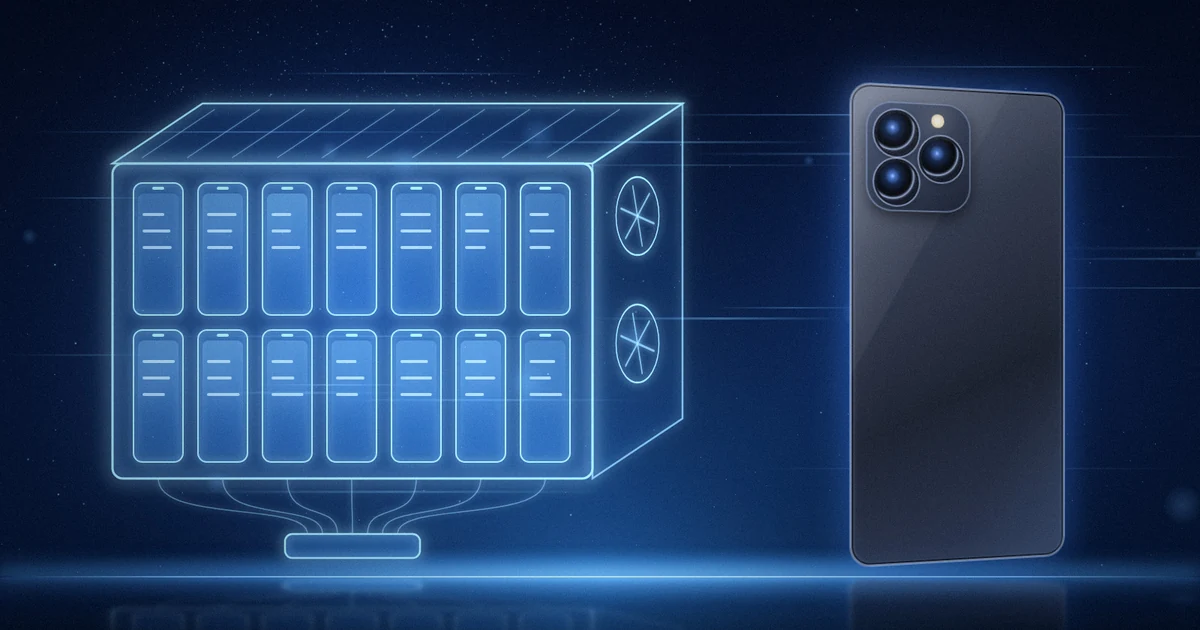
A box phone farm puts many phones, or just their motherboards, into one case with shared power, cooling and USB, and adds software that shows every screen on one PC. It tidies up the hardware. It doesn't make the work go away: you still own the devices, the network, the accounts and every hour something breaks.
You've probably seen the videos. A neat metal box, twenty screens tiled on one monitor, one click and every phone moves at once. It looks like the jump from "pile of phones on a shelf" to "real operation." For some teams it is. For many others, the box turns out to be the cheapest part of the project, and the real bill arrives a month later in the form of SIM cards, a replacement board and a weekend spent figuring out why six devices stopped responding.
- A phone farm box holds phones or boards in one case, with power, cooling, USB hubs and group control software.
- The box price is just the start. Phones, a control PC, SIMs or proxies, electricity, repairs and your time all add up.
- For a handful of devices, short projects or phones in other countries, renting real Android phones usually works out cheaper and faster.
What is a box phone farm?
A phone farm box is an enclosure with fixed slots for phones or phone motherboards. A typical one gives you:
- power to every slot, often with the batteries taken out;
- fans and heat sinks so the devices survive running all day;
- USB hubs that link each device to a controlling computer;
- group control software that mirrors the screens and repeats your actions across all of them.
You'll also see it sold as a phone farming box or a phone box farm. Some are made to sit on a desk, others are rackmount units for a server cabinet. Capacity depends on the seller. The iPhone farm box TechRadar wrote about holds 20 phones.
Why do people buy them? App testing, running many of their own business or social accounts, keeping an eye on how apps behave in one market, and repetitive in-app tasks. Honesty matters here too: the same boxes are used for fake engagement and ad fraud, which is exactly why platforms look out for farm-like behaviour. We'll come back to that.
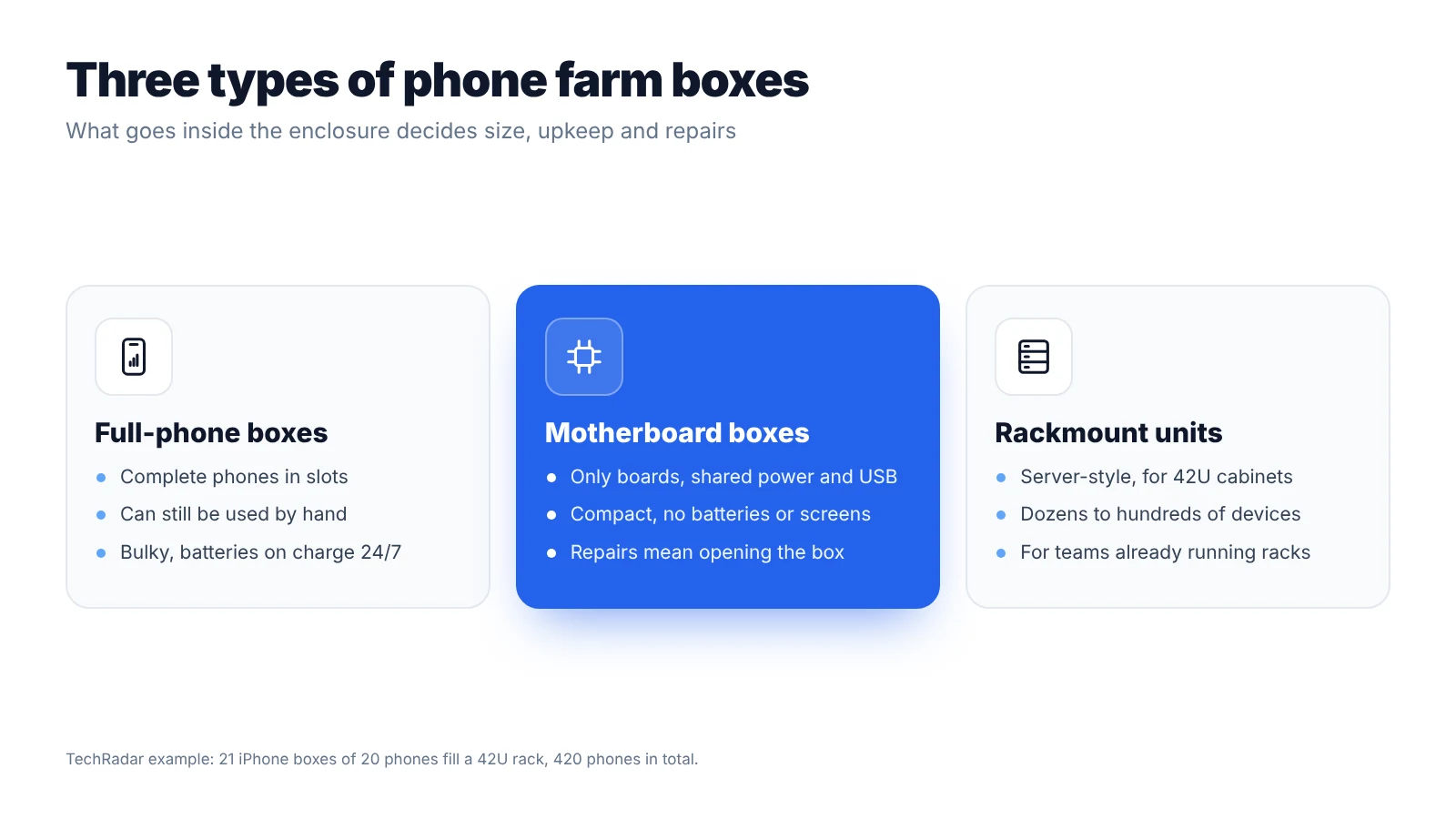
Three types of phone farm boxes
Full-phone boxes
Complete phones slide into slots with their screens intact. The upside is that you can still pull one out and use it by hand when something needs attention. The downsides are size and batteries, which don't love being on the charger around the clock.
Motherboard boxes
Here the phones have been taken apart, and only the boards go into the case, wired to a shared power and USB backplane. These boxes are compact and run without batteries or screens, which is why sellers call them a motherboard phone farm. You give up a physical screen, usually the camera too, and any repair means opening the box.
Rackmount units
These are server-style boxes for data-room cabinets. They make sense if you already run hardware in racks and want dozens or hundreds of devices in one spot. TechRadar described a setup where 21 iPhone boxes fill a 42U rack, which works out to 420 phones.
Box phone farm setup: how it works day to day
Getting a farm running and keeping it running look something like this:
- The boards or phones are flashed and set up with the same base configuration.
- The box connects to a PC over USB, and group control software (often built on screen mirroring) shows every screen in a grid. Our phone farm software guide compares the options.
- You either click once to repeat an action on every device, or run scripts per device.
- Each device gets a network: Wi-Fi, SIM cards or a proxy per phone, depending on the job. If you go with proxies, here's how proxy servers work on phones.
- Someone looks after it. Dead boards, overheating, OS updates, loose cables and apps that log themselves out turn into a weekly chore.
That last step is the one the videos leave out.
What a box phone farm really costs
The phone farm box price gets you in the door, nothing more. TechRadar reported on an iPhone farm box that costs $700 empty and $1,900 with all 20 phones. Android motherboard boxes vary a lot depending on which boards are inside, and prices move often.
Here's what a realistic budget includes:
| Cost item | One-time or recurring | Notes |
|---|---|---|
| Box / chassis | One-time | Varies by slots, cooling and build quality |
| Phones or motherboards | One-time | The biggest hardware cost; older models may not run current apps |
| Control PC and USB hubs | One-time | Needs stable power and enough USB bandwidth |
| Group control software | One-time or subscription | Some boxes include a license, others don't |
| Network: SIMs, proxies, Wi-Fi | Recurring | Per-device connections add up quickly |
| Electricity and cooling | Recurring | The box runs 24/7 |
| Replacement boards and repairs | Recurring | Boards and connectors wear out under constant load |
| Your time | Recurring | Updates, restarts, logouts, troubleshooting |
Total these up before you compare any phone farming box price. On small or short projects, the recurring rows often end up bigger than the box itself.
For a sense of scale, renting one real Android phone on DroidDesk costs from $5 an hour, $15 a day, $60 a week or $180 a month, with nothing to buy upfront. All options are on the plans page.
Questions to ask a seller before you buy
If you're leaning toward buying, these questions save regret later:
- What exactly is included? An empty chassis, boards, full phones, cables, a software license?
- Which phone model and Android version? Old boards may not run the apps you need next year.
- How is cooling handled? How many fans, how loud, and is it built for 24/7 use?
- What does the software actually do? Just screen mirroring, or scripting and per-device control too?
- What happens when a board dies? Spare parts, warranty, and how hard is the swap?
Common problems with phone box farms
Most of these show up within the first few weeks:
- Heat. Twenty devices working hard in a closed case need real airflow, or you get throttling and random reboots.
- Batteries. Full phones kept on permanent charge can swell, which is why many builders pull the batteries.
- Identical devices on one network. Same model, same build, same IP. Apps and platforms can connect those dots. Mixing devices and giving each its own connection helps.
- No real location. The farm is wherever you are. Testing an app in another country still means proxies or travel, and a proxy doesn't change the SIM or the GPS. Our guide on changing a phone's IP and location to another country explains why that matters.
- Lock-in. Growing means buying another box, not changing a plan.
- Terms of service. Using farms for fake engagement, click fraud or mass account creation breaks platform rules and can be illegal in some places. Stick to testing, research and managing your own accounts. For rented devices, the DroidDesk Acceptable Use Policy spells out what's allowed.
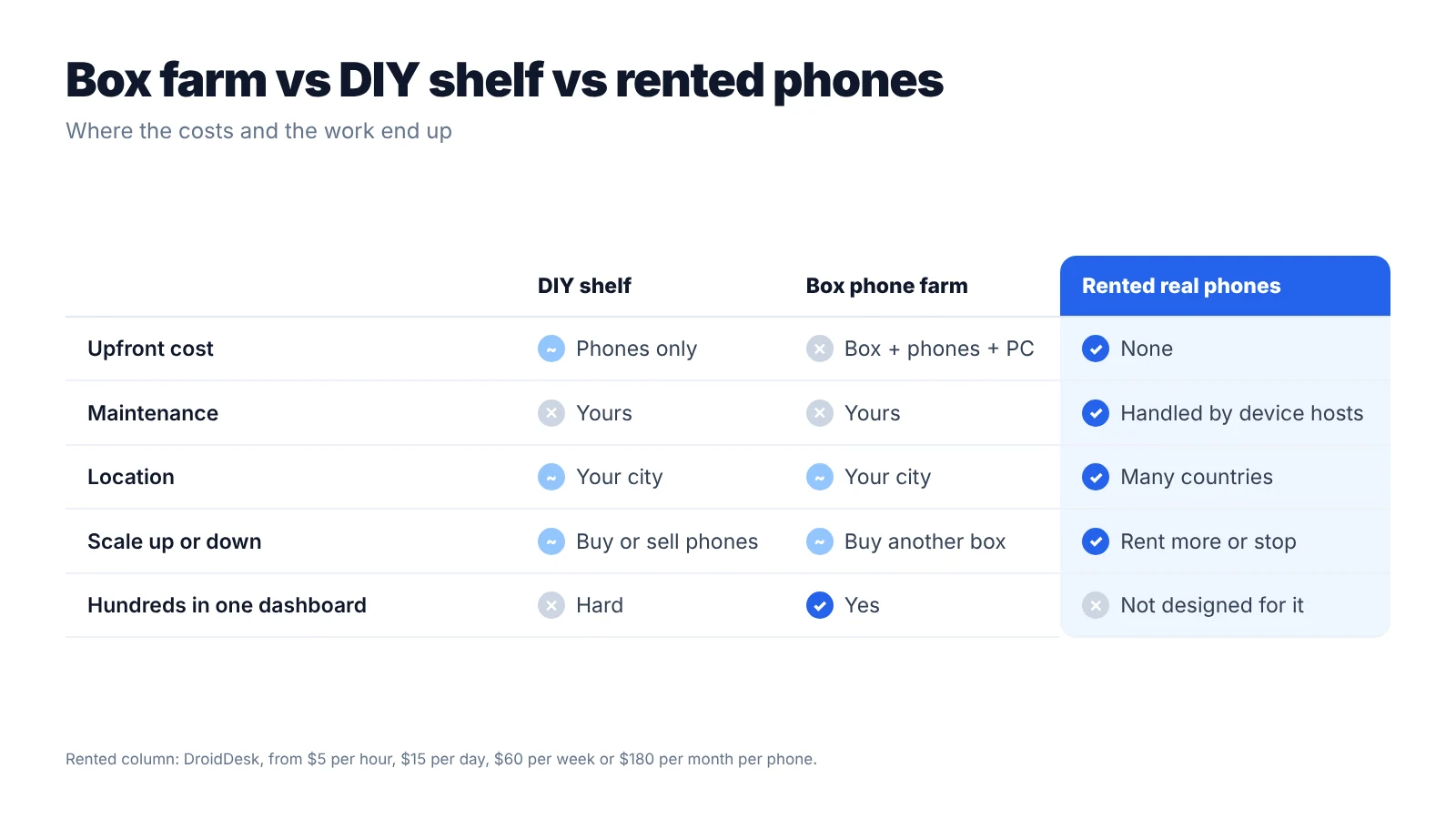
Box farm vs DIY shelf vs rented real phones
| Factor | DIY shelf of phones | Box phone farm | Rented real phones (DroidDesk) |
|---|---|---|---|
| Upfront cost | Phones only | Box + phones + PC | None |
| Running cost | Power, network, your time | Power, network, repairs, your time | Per device per hour, day, week or month |
| Location | Your city | Your city | Phones in many countries on local SIM or Wi-Fi |
| Maintenance | Yours | Yours | Handled by device hosts |
| Scale up or down | Buy or sell phones | Buy another box | Rent more devices, or stop renting |
| One dashboard for hundreds of devices | Hard | Yes | Not designed for it |
| Best for | Learning | Large, stable, local operations | Small to mid projects, geo tasks, short campaigns |
What about virtual cloud phones? They also take hardware off your hands, but they're emulated Android instances rather than physical phones, and apps can tell. We compare the two in cloud phone vs real device and in Android emulator online vs a real device.
When a box phone farm is the better choice
We're not going to pretend renting always wins. Owning a box makes sense when:
- you need lots of devices for months or years, all in one place;
- you want one dashboard for hundreds of devices, which DroidDesk isn't built for;
- you have people who can handle hardware, repairs and cooling;
- your work doesn't depend on phones being in other countries.
If that's your situation, a box is a reasonable investment. And if you end up with spare phones, you can earn from them by hosting them on DroidDesk.
When renting phones beats buying a box
Renting tends to win when:
- you need 5 to 20 devices, not 200;
- the project lasts days or weeks, not years;
- the phones need to be in specific countries, on their own local connection (how the connection works);
- you want real IMEI, sensors and native GPS without building anything, plus your own eSIM on the 1 Week plan or with Full Access;
- you'd rather automate steps with AI than write scripts.
DroidDesk rents physical Android phones from hosts. They run their original firmware (device integrity explained), and each one sits in a real location. If an app asks for location, see working with geo-location for how to grant access. For the bigger picture, read how a real device cloud differs from a virtual one.
How renting works on DroidDesk
- Choose a phone by country, city and network, and pick a plan.
- Open it in the browser or in the RustDesk desktop client (desktop setup guide).
- Install apps from Google Play (1 Day plan and up) or as APKs (1 Week plan or Full Access).
- Automate the boring parts by connecting Claude Code, Cursor or Codex through the Android MCP server, then save the steps as templates that run without AI (AI phone automation).
- Add or drop devices as the project changes. When a rental ends, installed apps are removed, app and browser data is cleared and your files are deleted, so save anything you need before it ends.
Start with phones, not a box
If you're still figuring out whether your workflow works, buying a box commits you to hardware before you know what you need. Rent a few real devices, prove the process, and then decide whether owning a farm pays off.
Need real Android phones without buying a box? Rent from $5 per hour
Browse real Android phonesFrequently asked questions
What's the difference between a phone farm box and a phone farm rack?
A box is a self-contained case for a fixed number of devices. A rack is the frame or cabinet that holds several boxes, shelves or rackmount units. Small farms get by with one box; bigger ones mount boxes in racks.
Is a motherboard phone farm detectable?
The boards are real hardware, so the device identifiers are genuine. What gives farms away is usually patterns: identical models, shared IPs, actions happening in sync, missing sensor data. Variety and human-like behaviour matter more than the box.
How many phones fit in one box?
It depends on the seller. The iPhone box TechRadar described holds 20 phones, and 21 of those fit in a 42U rack. Rackmount units can hold more, and several boxes can share one control PC if there's enough USB bandwidth.
How much does a phone farming box cost?
The example TechRadar covered is $700 empty and $1,900 with 20 phones. Add the control PC, network, electricity and repairs before you compare it with renting.
What software runs a box phone farm?
Usually group control software that mirrors screens and repeats clicks, sometimes paired with scripts or AI agents. Our phone farm software guide goes through the options.
Can I build a phone farm without buying hardware?
Yes. You can rent real Android phones online by the hour or by the month and control them remotely. You don't own the phones, but you also skip the box, the cooling, the repairs and the local network setup. The FAQ answers the usual follow-up questions.